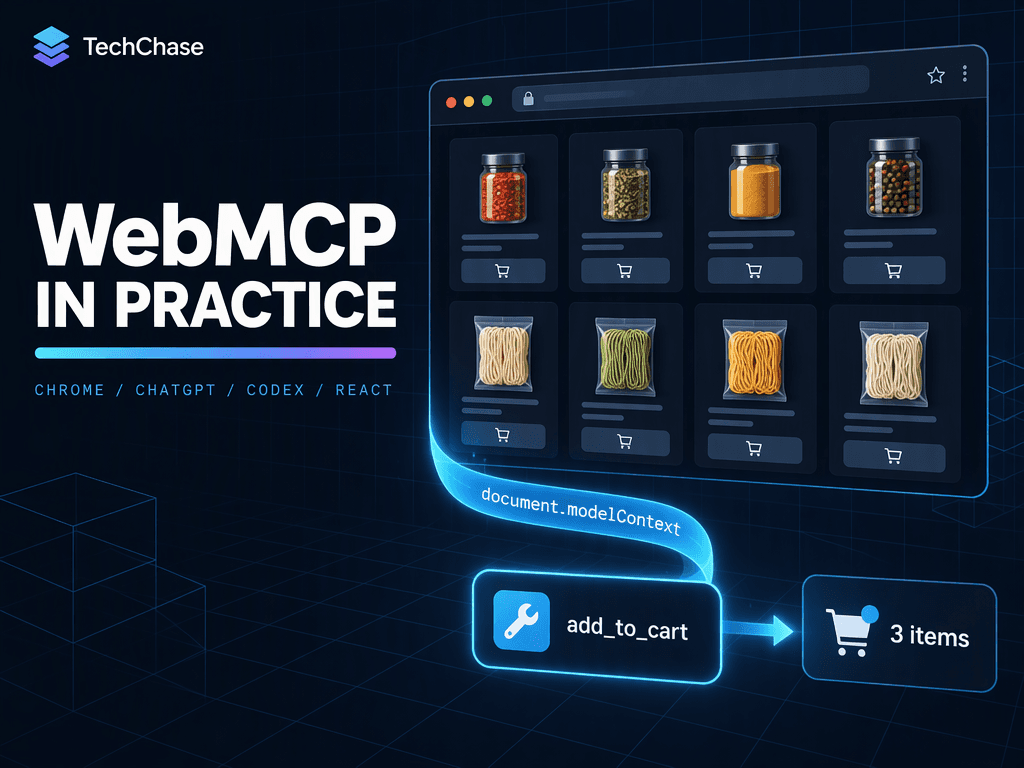
WebMCP vs. ChatGPT Plugins: Build a React Shop AI Agents Can Use (2026)
WebMCP or a ChatGPT plugin? Compare both, see what each takes to build, and ship a tested React + TypeScript shop where AI agents fill the cart.
TechChase Team
24 min read
Share
Picture this: you ask an AI agent to "put two packs of Sichuan pepper and some udon in my cart". What happens today is painful to watch. The agent takes a screenshot, guesses which button is "Add to cart", clicks it, and takes another screenshot to see whether it worked. It is slow, it breaks whenever the layout changes, and it has no idea the garam masala is out of stock until the error toast appears.
Think of it like a shop with no staff. The agent wanders the aisles reading shelf labels. WebMCP opens a service counter instead: the website registers a small set of typed tools, such as search_products or add_to_cart, and the agent simply asks for what it needs. The tool runs inside the page, with your signed-in session, and the visible UI updates at the same time.
💬 Stop making agents guess your UI. Hand them the tools.
2026 is the year this became real. Google started an origin trial in Chrome, and OpenAI shipped WebMCP support in the ChatGPT desktop app, which now also contains Codex. In this post you get both launches, a clear answer to which "WebMCP" repository is the official one, a side-by-side of WebMCP vs. ChatGPT plugins (and what each takes to build), a sober look at whether OpenAI's Agentic Commerce Protocol (ACP) is dead, and a tested React + TypeScript example: a shop where an agent puts Sichuan pepper and udon noodles into the cart.
🧩 What WebMCP Is, and What It Is Not
WebMCP adds one browser API, document.modelContext. A page registers tools with it:
ts
await document.modelContext?.
NEXT STAGE
Keep reading
More articles on AI, automation and software engineering from the TechChase team.
registerTool
({
name: "get_page_title",
description: "Read the title of the current page.",
That is the whole idea: a name, a natural-language description, a JSON Schema for the input, and an execute callback that reuses code the page already has. You unregister a tool by aborting the AbortSignal you passed at registration.
Despite the name, WebMCP is not an MCP server running in the browser. It borrows MCP's vocabulary (tools, schemas, results), but the explainer states plainly that it is a web-native API with origins, permissions policy and a lifecycle tied to the document. It is not the backend protocol.
A website can offer both: an MCP server for the "export all orders" integration and WebMCP tools for "add this to the cart I'm looking at".
🧠 Myth check."WebMCP is just MCP in the browser." Not quite: it shares MCP's vocabulary, but it is a separate web API with its own security model, and it does not replace your MCP server.
🧠 Myth check."It's navigator.modelContext." That was an early draft. The current draft and every shipping implementation use document.modelContext. Tutorials that still use navigator are outdated.
🏷️ Which WebMCP Repository Is Official?
Search for "WebMCP" and you find half a dozen projects with nearly identical names. The Model Context Protocol organization does not publish any of them, and that is expected: WebMCP is not an MCP project. The only mention in the modelcontextprotocol GitHub org is in the MCP Apps draft, which says that feature was "inspired by WebMCP (W3C incubation)". It even still uses the old navigator.modelContext name.
W3C Web Machine Learning Community Group. The explainer was written by engineers from Microsoft and Google, and the spec is now driven mainly by Dominic Farolino
The official proposal. Explainer, spec draft, implementation status. A Draft Community Group Report, not a W3C Standards Track document
Prior art that the official explainer credits. It adds MCP extras the spec does not have: prompts, resources, transports, desktop relays. Its own docs say its "strict core" is "not a second definition of the WebMCP proposal"
Solid articles (guide, WebMCP vs. MCP), not a repository. kn8 states that its own product is not built on WebMCP
Short version: the standard lives in webmachinelearning/webmcp. Everything else is a helper around it. For React, the closest thing to "official" is Chrome's use-webmcp-tool. Chrome's own docs also point to MCP-B's usewebmcp as a React option, so neither community library is a wrong choice. Just know that MCP-B goes beyond the spec, and both community libraries ship polyfills. A polyfill makes document.modelContext exist, but that does not mean a browser agent can see the tools.
🟢 Google: From Early Preview to Origin Trial
August 13, 2025. The WebMCP explainer is first published, with Microsoft and Google engineers as authors.
February 10, 2026. Chrome opens an early preview with two APIs: imperative (JavaScript tools) and declarative (annotated HTML forms).
May 19, 2026, Google I/O. WebMCP is update #1 in Chrome's I/O recap. Google says "Gemini in Chrome will soon support WebMCP APIs" and shows logos of brands already experimenting, including Expedia, Booking.com, Shopify, Etsy, Instacart and Target.
June 9, 2026. The origin trial opens in Chrome 149. For local development, enable chrome://flags/#enable-webmcp-testing.
Since then Chrome has been iterating quickly. Tools can get a cancellation signal (Chrome 153), executeTool accepts objects instead of JSON strings (Chrome 155), and there are new annotations: consequentialHint for irreversible actions and debugging for developer-only tools (Chrome 156). Microsoft runs an origin trial in Edge 150, and Brave has experimental support in Leo. Firefox and Safari only have open standards-position requests so far.
WebMCP in Chrome only works in origin-isolated documents and is controlled by the tools permissions policy. It is enabled for the top-level page and same-origin frames, and a cross-origin iframe needs allow="tools".
🤖 OpenAI: Site Tools in ChatGPT and Codex, Which Are Now One App
Is ChatGPT now the same app as Codex? On desktop, yes. On July 9, 2026, OpenAI merged the Codex app into the new ChatGPT desktop app for macOS and Windows. It has three modes (Chat, Work and Codex) and a built-in browser. Codex still has its own space, and developers can make it the default view. The old desktop app was renamed "ChatGPT Classic", and the standalone Atlas browser is being retired.
On August 25, 2026, OpenAI added WebMCP to that built-in browser (and to ChatGPT Sites) under the name site tools. When a page registers tools, an arrow appears in the address bar, and ChatGPT Work and Codex discover and call the tools on their own. OpenAI's help center explicitly lists "update a shopping cart" as a use case.
The fine print matters if you plan to rely on it:
Site tools only work in the built-in browser of the ChatGPT desktop app, not in Chrome through the ChatGPT extension.
You need GPT-5.6 Sol or GPT-6 Sol. WebMCP is disabled for GPT-5.6 Luna.
In Enterprise workspaces an admin must allow Site tools through workspace policy, and site tools are not available in Edu workspaces.
Only a subset of the spec is supported: no declarative (form) tools and no tools inside iframes. Register tools with JavaScript in the top-level page.
Every call goes through a safety review first. Purchases, deletions, sending messages and sharing personal data always require the user's confirmation, and a tool description cannot grant those permissions.
For a shop this is actually good news: the agent can fill the cart, and paying stays with the human.
🍜 Example: A Spice and Noodle Shop in React + TypeScript
The goal: a user says "Put two packs of Sichuan pepper and some udon in my cart", and the agent does it through tools, not clicks. We use Chrome's use-webmcp-tool hook together with the official types:
This is the most important design decision. The "Add to cart" button and the agent tool call the same function. The server stays the source of truth for price, stock and session, and useSyncExternalStore keeps the UI in sync no matter who added the item.
Four tools, each with a single job: search (read-only), add (changes state, validated and verified), read the cart (read-only), and open checkout (navigation only, no payment).
tsx
// src/shop/ShopTools.tsximport { useWebMCP } from "use-webmcp-tool";import { cartStore } from "./cartStore";import type { Cart, Category, Product } from "./types";const eur = (cents: number) => (cents / 100).toLocaleString("de-DE", { style: "currency", currency: "EUR" });const summarize = (cart: Cart) => ({ items: cart.lines.map((l) => `${l.quantity} × ${l.name} (${eur(l.lineTotalCents)})`), total: eur(cart.totalCents),});// Stable module-level schemas: the hook re-registers when the schema changes.const searchSchema = { type: "object", properties: { query: { type: "string", description: "Free text such as 'smoked paprika' or 'udon'. Empty lists everything.", }, category: { type: "string", enum: ["spice", "noodle"], description: "Optional filter: 'spice' or 'noodle'.", }, }, additionalProperties: false,} as const;const addToCartSchema = { type: "object", properties: { productId: { type: "string", description: "Product id from search_products, e.g. 'spice-sichuan-pepper'.", }, quantity: { type: "integer", minimum: 1, maximum: 20, description: "Number of packs to add. Defaults to 1.", }, }, required: ["productId"], additionalProperties: false,} as const;const emptySchema = { type: "object", properties: {}, additionalProperties: false } as const;type SearchArgs = { query?: string; category?: Category };type AddToCartArgs = { productId: string; quantity?: number };export function ShopTools({ products, onCheckout,}: { products: Product[]; onCheckout: () => void;}) { // 1) Read-only: lets the agent map "Sichuan pepper" to a real product id. useWebMCP<SearchArgs>({ name: "search_products", description: "Search the spice and noodle catalog shown on this page. " + "Returns id, name, price, pack size and stock for each match.", inputSchema: searchSchema, annotations: { readOnlyHint: true }, execute: ({ query = "", category }) => { const q = query.trim().toLowerCase(); return products .filter((p) => !category || p.category === category) .filter((p) => !q || p.name.toLowerCase().includes(q)) .map((p) => ({ id: p.id, name: p.name, price: eur(p.priceCents), unit: p.unit, inStock: p.inStock, })); }, }); // 2) State-changing: same code path as the button, validated and verified. useWebMCP<AddToCartArgs>({ name: "add_to_cart", description: "Add a product from this shop to the signed-in user's cart. " + "Does not place an order. Returns the updated cart.", inputSchema: addToCartSchema, annotations: { readOnlyHint: false }, enabled: products.length > 0, // Chrome < 153 calls execute(args) without the options object. execute: async ({ productId, quantity = 1 }, options) => { // Validate strictly in code, loosely in the schema. const product = products.find((p) => p.id === productId); if (!product) { throw new Error(`Unknown productId "${productId}". Call search_products and use an id from its result.`); } if (!Number.isInteger(quantity) || quantity < 1 || quantity > 20) { throw new Error("quantity must be a whole number between 1 and 20."); } if (quantity > product.inStock) { throw new Error(`Only ${product.inStock} × ${product.name} in stock. Ask the user how to proceed.`); } const qtyOf = (cart: Cart) => cart.lines.find((l) => l.productId === productId)?.quantity ?? 0; const before = qtyOf(cartStore.get()); const cart = await cartStore.addItem(productId, quantity, options?.signal); // Post-action check: never report success the cart does not show. if (qtyOf(cart) !== before + quantity) { throw new Error(`Cart shows ${qtyOf(cart)} × ${product.name}, expected ${before + quantity}.`); } return { added: `${quantity} × ${product.name}`, cart: summarize(cart) }; }, }); // 3) Read-only: lets the agent confirm the result with the user. useWebMCP({ name: "get_cart", description: "Return the items and total of the user's current cart.", inputSchema: emptySchema, annotations: { readOnlyHint: true }, execute: () => summarize(cartStore.get()), }); // 4) Hand-off: navigates to checkout. Paying stays with the human. useWebMCP({ name: "go_to_checkout", description: "Open the checkout page so the user can review and pay. " + "Does not submit payment or place the order.", inputSchema: emptySchema, execute: () => { onCheckout(); return "Checkout opened. The user reviews and pays there."; }, }); return null;}
A few details are deliberate:
Error messages tell the agent what to do next.Unknown productId ... Call search_products lets the model correct itself instead of stalling. The hook turns every thrown error into an isError result, so a failure never looks like success.
The tool reads the cart again after the change. If the server shows a different quantity than expected, the tool fails instead of claiming success.
There is no place_order tool. If you ever expose one, mark it consequentialHint: true so Chrome and ChatGPT can require confirmation. Handing off to the checkout page is the better default.
Tools follow the component lifecycle. They register on mount and unregister on unmount. enabled keeps add_to_cart hidden until products have loaded, so the agent only sees what the page can actually do.
"Done: 2 × Sichuan Pepper and 1 × Udon Noodles, 16,47 € in total. Should I open checkout?"
We ran it
We did not just write this code, we ran it. The example passes tsc --strict and a Vite build. We then loaded it in a Chromium 150 build that exposes document.modelContext natively and called the tools through the real executeTool API, with a mocked cart endpoint:
Call
Result
add_to_cart Sichuan pepper × 2
✅ cart 12,98 €
add_to_cart udon
✅ cart 16,47 €, header shows "🛒 3 items"
add_to_cart with productId: "sichuan"
❌ Unknown productId … Call search_products
add_to_cart garam masala
❌ Only 0 × Garam Masala in stock
add_to_cart soba × 50
❌ quantity must be a whole number between 1 and 20
The test surfaced three gotchas you will not find in most tutorials:
Chrome before 153 calls execute(args) without the second argument. Writing async (args, { signal }) crashes there with "Cannot destructure property 'signal' of undefined". Use options?.signal.
Chrome before 155 expects executeTool input as a JSON string, and passing an object fails with "Failed to parse input arguments". This matters if you write your own agent or tests.
Chrome does not enforce the input schema. The quantity: 50 call reached our handler even though the schema says maximum: 20. The schema is only a hint to the model, so the real validation has to live in execute.
🧪 Test It Yourself
Chrome: enable chrome://flags/#enable-webmcp-testing and install the Model Context Tool Inspector. It lists registered tools, calls them manually and lets you chat with an agent (Gemini) that uses them.
ChatGPT / Codex: open the page in the built-in browser of the ChatGPT desktop app, check the site-tools arrow in the address bar, and ask Codex or Work to fill the cart.
Claude Code, Cursor and other MCP clients: these clients cannot read document.modelContext directly. The WebMCP Bridge extension from webmcp-react exposes the page's tools to them as an MCP server.
✅ Checklist Before You Ship
Keep the tool set small. Every tool uses up the model's context, and overlapping tools confuse it. Register tools only where the page supports them.
Use honest annotations.readOnlyHint for reads, consequentialHint for anything irreversible, and untrustedContentHint when you return user-generated content such as reviews.
Keep server-side authorization. WebMCP runs with the user's session, which means it can do exactly what the user can do, and no more.
Keep one code path. Tool and button call the same function, and the UI updates visibly.
Treat tool output as untrusted. OpenAI and Chrome both warn about prompt injection through tool descriptions and results. Never let a tool instruct the agent to do anything beyond its job.
Build it as a progressive enhancement. Without WebMCP the shop has to work exactly as before, and the hook simply registers nothing.
⚖️ WebMCP vs. ACP: Is the Agentic Commerce Protocol Dead?
If you work in e-commerce, you have probably heard of the other acronym: ACP, the Agentic Commerce Protocol that OpenAI and Stripe launched on September 29, 2025 together with Instant Checkout in ChatGPT. So is WebMCP its replacement? And is ACP still alive?
Short answer: ACP is not dead, but its flagship feature is. Here is what happened:
March 2026. OpenAI pivoted away from Instant Checkout. In OpenAI's own words, the first version "did not offer the level of flexibility that we aspire to provide, so we're allowing merchants to use their own checkout experiences while we focus our efforts on product discovery." Analysts named the reasons: merchant onboarding, stale product data, multi-item carts and loyalty programs. According to Shopify's president, only about a dozen Shopify merchants had ever gone live.
April 17, 2026. ACP still shipped its biggest spec release so far: cart, product feed, orders, authentication and an MCP binding.
April 24, 2026. Stripe, Amazon, Meta, Microsoft and Salesforce joined the Tech Council of Google and Shopify's rival Universal Commerce Protocol (UCP). Stripe did not leave ACP. It now simply sits at both tables.
Today. The ACP repository is still labeled beta and maintained by OpenAI and Stripe. Meta has joined its steering committee, and fixes landed as recently as September 2026. But the last merged protocol change (a SEP) dates from July, and there has been no new spec version since April. ACP is alive, just slower and narrower. It now mostly powers product feeds and retailer apps inside ChatGPT, not a universal "buy anything" button.
The more important point: WebMCP and ACP are not competing for the same layer.
ACP
WebMCP
Where it runs
Your backend: new HTTP endpoints
Your frontend: the page you already have
What you build
POST /checkout_sessions, …/{id}, …/complete, …/cancel, a product feed, plus delegated payment via your payment provider (/agentic_commerce/delegate_payment)
A few registerTool calls that reuse your existing JavaScript
Who renders the checkout
The agent (for example ChatGPT)
Your own UI, which the user watches live
Auth and session
Agent-to-merchant auth plus payment tokens
The session the user is already signed in with
Discovery
Product feed: agents find you without a visit
None: the user or agent has to open your page
Human present?
Not necessarily
Yes, by design
Governance
OpenAI + Stripe (+ Meta), beta
W3C Community Group draft, origin trials in Chrome and Edge
ACP answers "how does an agent buy from me without ever opening my site?" WebMCP answers "how does an agent use my site properly once it is there?" The March pivot is telling: the market moved back toward "the merchant owns the checkout", and that is exactly the model WebMCP assumes from day one.
🔌 WebMCP vs. ChatGPT Plugins: Page Tools or Installable Integration?
The next question we hear: "ChatGPT already has plugins. Why bother with WebMCP?" Because they solve different problems, and OpenAI's own docs say so: a plugin with an MCP server "can provide an integration that works independently of an open page. A website can support both."
The analogy: WebMCP is the service counter inside your shop, for customers who are already standing there. A ChatGPT plugin is the delivery hotline: anyone in ChatGPT or Codex can call it without ever visiting your shop.
🧠 Myth check."ChatGPT plugins are the 2023 thing with ai-plugin.json and OpenAPI." That system was wound down in April 2024. Today's plugins are a different, newer format: a package with a plugin.json manifest, optional skills, and an optional remote MCP server, shared by ChatGPT and Codex.
WebMCP / site tools
ChatGPT plugin (2026)
What it is
A browser API (document.modelContext)
An installable package: plugin.json + skills/ + optional mcp.json
Where the tools run
In your open page, in the user's tab
On your server, as a remote MCP endpoint (streamable HTTP)
Needs an open page?
Yes, tools vanish when the user navigates away
No
Auth
The session the user is already signed in with
OAuth 2.1, with authorization enforced in your server on every request
Discovery
None: the agent has to visit your page
The plugin directory shared by ChatGPT and Codex
Distribution
Nothing to publish
ZIP upload and review, or a local/repo marketplace, or a workspace-only publish
Workflow guidance for the model
Tool descriptions only
SKILL.md files: tool sequences, decision points, output format
Human present?
Yes, by design
Not necessarily
Where it works
Built-in browser of the ChatGPT desktop app, plus Chrome and Edge
ChatGPT and Codex (the MCP server also works with other MCP clients)
Main limits
Subset of the spec, GPT-5.6 Sol / GPT-6 Sol only, no iframes
One MCP server per plugin, review before tools go live
🔧 What you need to build each
WebMCP is the light path, and it is the one our shop example uses:
registerTool calls in the top-level page (no declarative tools, no iframes in ChatGPT).
Your existing cart code, your existing session, your existing authorization.
No new endpoint, no credentials, no review. OpenAI's docs even suggest asking Codex to add it for you.
An MCP server built with the TypeScript SDK (@modelcontextprotocol/sdk) or the Python mcp package, with schemas and honest annotations (readOnlyHint, destructiveHint, openWorldHint).
A public HTTPS endpoint, typically /mcp, with logs, rate limits and an uptime story.
OAuth 2.1 and server-side authorization for anything that touches private data.
Domain verification: a token served at /.well-known/openai-apps-challenge.
A plugin.json with name, version, icons, privacy and terms URLs, and a category. Skills are optional but are how you teach the model your workflow.
A verified developer identity on the OpenAI platform.
Review material: 5 positive and 3 negative test cases, a video walkthrough, a reviewer test account without MFA, and release notes.
For our spice shop that means a user-scoped cart API behind OAuth, so the plugin can add Sichuan pepper without any browser tab. With WebMCP the cart function already exists and the logged-in session is enough. That is the whole difference in effort.
A few plugin details are easy to miss:
After publication, OpenAI rescans your hosted MCP server daily. Changed tools can be held back, and brand-new tools stay unavailable until approved.
Skills imported from MCP are snapshots. Changing one means a new submission.
Plugin ZIPs with apps/.app.json or lifecycle hooks cannot be submitted publicly yet.
You can also skip the store. A repo marketplace (.agents/plugins/marketplace.json) or a workspace-only publish gets a plugin to your team without public review.
🧭 Which one do you pick?
Pick WebMCP when the user is on your page and you want the agent to work in the same live UI: carts, editors, dashboards, itinerary planners.
Pick a plugin when the job must work with no tab open ("export all orders", "check stock", "create a ticket") or when you want to be found inside ChatGPT and Codex.
Pick both when you run a real product. Put the tools that need the live UI in WebMCP, and the headless ones in an MCP server that you wrap in a plugin.
🧭 The TechChase Take: WebMCP Is the On-Ramp, ACP Is the Toll Road
Our personal comment: "We think WebMCP is the easiest on-ramp to agentic commerce a shop has ever had." You don't need a new backend, a feed pipeline, a payment-provider integration or a partnership meeting with an AI lab. You need an afternoon and the cart function you already have. Our shop example is four tools, and none of them required a single new server endpoint.
That is also why we expect WebMCP to be adopted faster than ACP:
The cost is tiny. ACP makes you build and operate a second checkout path next to your existing one. With WebMCP your existing checkout is the path.
Nothing new is exposed. Every tool runs with the user's own session and permissions, so there are no new API credentials to issue, rotate or leak.
It fails safely. If a browser doesn't support WebMCP, your shop simply works as before. If ACP breaks, a sales channel goes dark.
Trust stays visible. The customer watches the cart fill up in your UI, with your brand, prices and upsells. That is exactly what Walmart missed when in-chat Instant Checkout reportedly converted at a third of the rate of sending shoppers to its own site.
Where ACP (or UCP) still wins: discovery and fully delegated purchases. WebMCP tools only exist while your page is open in a browser. An agent can't find them without knowing your URL, and a terminal agent like Claude Code can't see them at all unless something opens that page for it (a bridge extension, or a browser it controls). Technically, an agent driving a headless browser with a logged-in session could reorder coffee at 3 a.m. through your tools. But that is still browser automation, just with better handles: there are no payment tokens, no spending limits, and no way for you as the merchant to tell an authorized agent from a script. That is exactly what ACP's delegated payment is built for.
Our recommendation for most shops: start with WebMCP on product and cart pages now, and add a product feed (ACP or UCP) once agent-driven traffic actually shows up in your analytics. Protocols come and go; four well-designed tools on top of your own cart logic will survive whichever commerce protocol wins.
If you want ChatGPT and Codex to reach your shop without a tab open, add a plugin on top. Wrap a user-scoped MCP server in a plugin once agent traffic justifies the OAuth, review and hosting work. Your WebMCP tools and your MCP tools can call the same cart function underneath.
⚡ Knowledge Bytes
🧩 WebMCP lets a page register typed tools on document.modelContext, so agents call functions instead of clicking through the UI.
🏷️ The official proposal lives in webmachinelearning/webmcp; for React, Chrome's use-webmcp-tool plus the official webmcp-types is the closest thing to an official setup.
🟢 Chrome 149 runs a WebMCP origin trial, Edge 150 too, and Gemini in Chrome support has been announced.
🤖 ChatGPT and Codex now share one desktop app, and its built-in browser calls WebMCP "site tools".
🛡️ The input schema is only a hint: validate in execute, check the result after the action, and leave payment to the human.
⚖️ ACP is alive but narrower after Instant Checkout was dropped; it handles discovery and backend checkout, WebMCP handles the live page.
🔌 A ChatGPT plugin is a server-side package (skills plus a remote MCP server, OAuth, review); WebMCP is page-side code that reuses the user's session. Use WebMCP for live UI, a plugin for headless reach, or both.
🚀 WebMCP is the cheapest way into agentic commerce: four tools on top of the cart function you already have.